

Deep Dive: BLE Communication for IoT Devices
A practical guide to reliable BLE communication for IoT devices, covering GATT, packets, MTU, notifications, reconnection, security, and power with ESP32 NimBLE.
Share
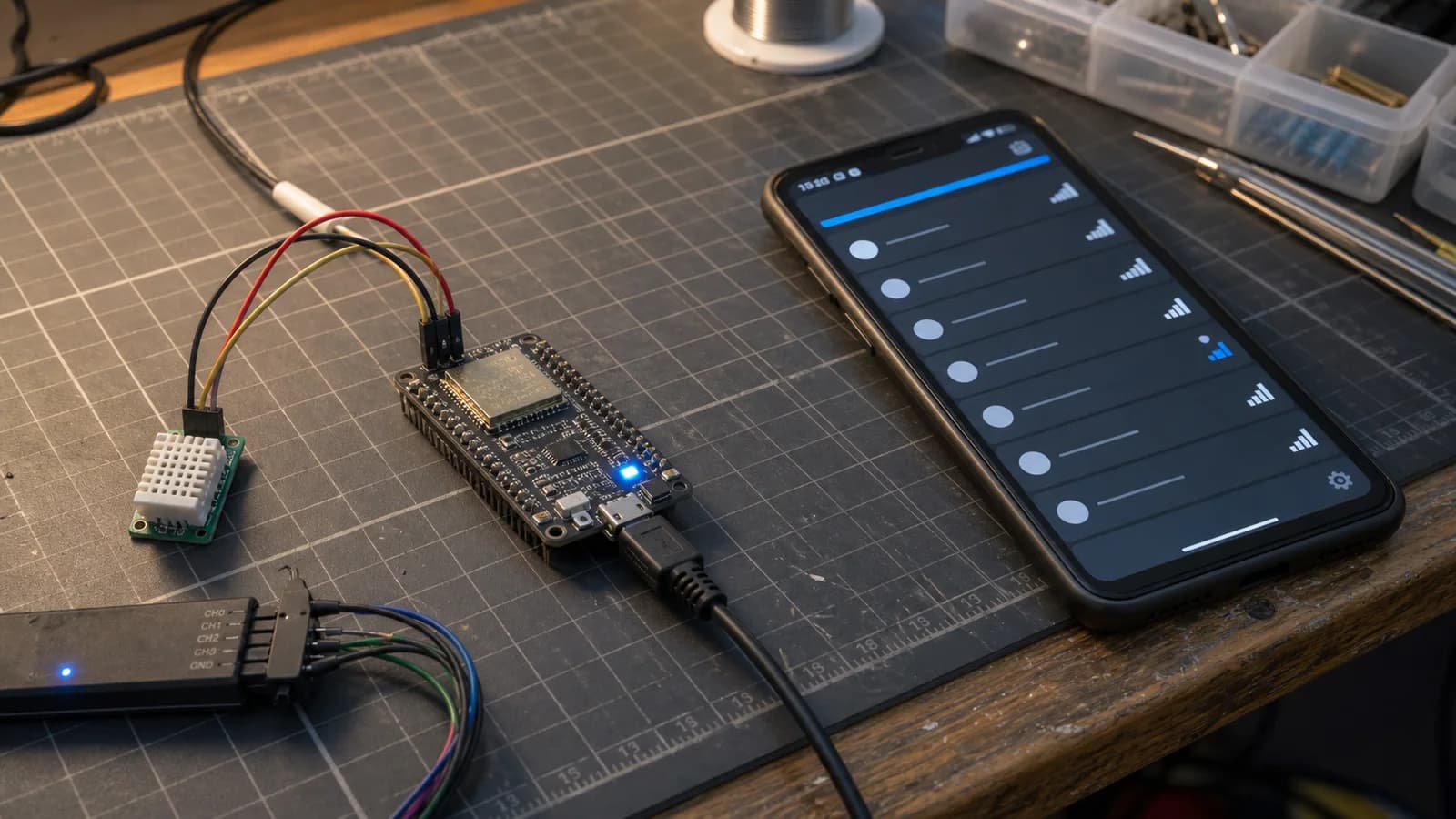
BLE is everywhere in sensors, smart locks, wearables, and battery-powered IoT devices. Yet many guides stop when a phone can read “Hello World.” Real trouble starts when data grows, the link drops halfway through a command, or a firmware update changes the protocol.
This is how I build a small BLE link that can survive beyond the demo. The running example is an ESP32 sensor using NimBLE: it reports temperature and battery level to a phone, and receives configuration and control commands. BLE Mesh, beacons, and LE Audio are outside this scope.
A BLE demo connects quickly. The real work is keeping the protocol predictable through disconnects, firmware updates, and new data types.
Keep GAP and GATT separate in your head
For a typical sensor:
- GAP handles being found and connected: advertising, scanning, addresses, and connection parameters.
- GATT describes data after connection: services, characteristics, read, write, and notify.
- The ESP32 is commonly the peripheral + GATT server, while the phone is the central + GATT client. This is a common arrangement, not a rule tying those roles together.
Treat the complete flow as a state machine:
IDLE -> ADVERTISING -> CONNECTED -> DISCOVERED -> SUBSCRIBED -> READY
  ^                         |                         |
  +-------------------------+---- DISCONNECTED <-----+
“Connected” does not mean the application is ready. The client still needs to discover the expected service, find its characteristics, and enable notifications through the CCCD. I only enter READY after those steps succeed.
Design a small, intentional GATT model
Avoid turning one characteristic into a wireless serial port carrying arbitrary JSON. For a small sensor, I usually start with one custom service and three characteristics:
| Characteristic | Property | Purpose |
|---|---|---|
status | Read + Notify | Temperature, humidity, battery, error flags |
command | Write | Immediate actions such as sample now or switch relay |
config | Read + Write | Sample period, alert threshold, operating mode |
Add standard services such as Battery Service or Device Information when the data truly matches their defined meaning. For project-specific data, generate 128-bit UUIDs and keep them in one protocol file instead of scattering literals through callbacks.
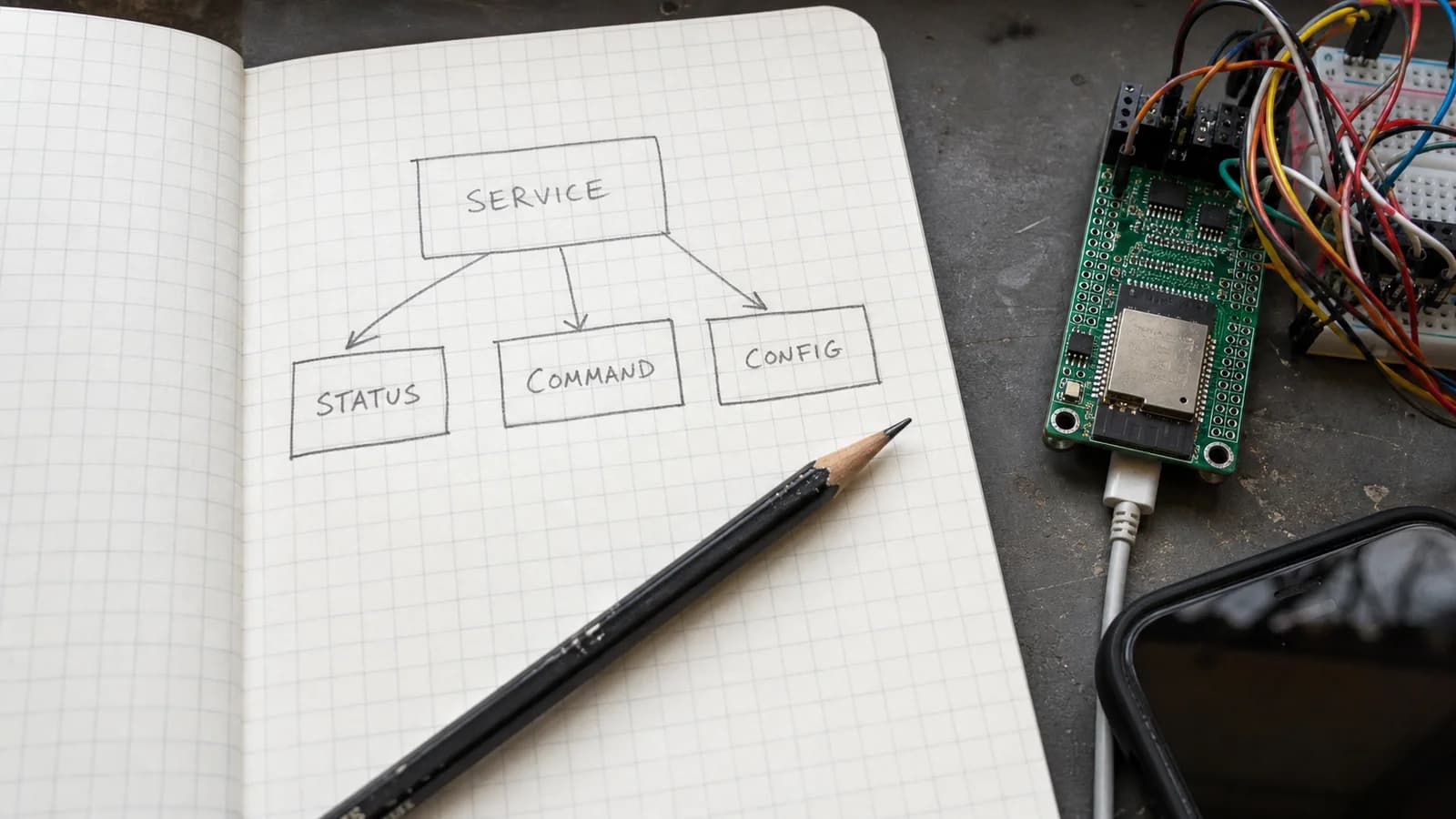
I settle the data model on paper before assigning UUIDs. Status, command, and config cover most small IoT devices.
Match the operation to the data
- Read: fetch a snapshot or infrequently changed configuration.
- Write with response: good for configuration and actuator commands because the client knows the server accepted the write at the ATT layer.
- Write without response: lower overhead, but the application must pace itself; it is a poor default for an important command.
- Notify: server-pushed telemetry without an ATT acknowledgment.
- Indicate: includes an ATT confirmation and is slower; useful for infrequent events where peer receipt matters.
The Bluetooth Core GATT specification defines notifications without confirmation and indications with confirmation. A radio-level acknowledgment still does not prove that business logic ran, though. For a command such as “unlock,” I return a separate command_result carrying the transaction ID.
Make packets just self-describing enough
JSON is pleasant during a demo, but costs bytes, adds parsing work, and tends to accumulate inconsistent shapes. Regular telemetry is clearer as a versioned binary packet:
byte 0      protocol_version   = 1
byte 1..2   sequence           uint16, little-endian
byte 3..4   temperature_c_x100 int16,  little-endian
byte 5..6   humidity_pct_x100  uint16, little-endian
byte 7      battery_pct        uint8
byte 8      flags              bit field
I document three rules for every protocol:
- Version it from day one. An old client must reject or ignore a version it cannot understand.
- Fix byte order and scale.
2534means25.34 °C; never send a compiler's in-memoryfloatlayout as the protocol. - Include a sequence or transaction ID. It reveals gaps and duplicates, and matches results to commands.
The BLE link already checks integrity at lower layers, so every payload does not need another CRC. An application CRC becomes useful when a packet is stored, crosses another transport, or needs end-to-end validation beyond BLE.
MTU: do not hard-code 20 bytes and forget why
The default BLE ATT MTU is 23 bytes. A regular notification uses 3 bytes for its opcode and attribute handle, leaving 20 bytes for the characteristic value. If both peers negotiate a larger MTU, that notification payload limit is normally ATT_MTU - 3.
A larger MTU does not guarantee high throughput. Data Length, PHY, connection interval, packets per connection event, and stack buffers also matter. My practical rules are:
- A short 9-byte status packet goes out whole; no early optimization needed.
- A long message is fragmented at the application layer with
message_id,chunk_index,chunk_count, and length. - Check the negotiated MTU on the current connection. A result from phone A is not a universal default.
- Bound every queue. If the client falls behind, drop stale telemetry or combine samples instead of exhausting RAM.
A server flow sturdy enough to build on
This C++ pseudo-code follows the shape of NimBLE-Arduino but omits secondary API details so the lifecycle stays visible:
void onConnect() {
  connected = true;
  subscribed = false;
}

void onSubscribe(bool enabled) {
  subscribed = enabled;
  if (enabled) publishStatus();
}

void onCommand(const uint8_t* data, size_t len) {
  Command cmd;
  if (!decodeAndValidate(data, len, cmd)) return;
  if (seenTransaction(cmd.txnId)) return resendLastResult(cmd.txnId);

  CommandResult result = execute(cmd);
  remember(result);
  notifyCommandResult(result);
}

void onDisconnect() {
  connected = false;
  subscribed = false;
  startAdvertising();
}
The names are not the important part. The command is validated before execution, a duplicate transaction does not actuate twice, and subscription state is cleared when the connection ends.
Reconnection is the real test
A polished demo often fails when I walk the phone out of the room and return. A client needs a deliberate recovery plan:
- Cancel pending GATT work when the disconnect event arrives.
- Back off before scanning again—for example, grow from 500 ms to a few seconds and add jitter.
- Filter on service UUID, not only a device name that may collide or change.
- After connecting, discover and validate the GATT database again, then restore subscriptions as needed.
- Send commands only after the state returns to
READY.
When firmware changes the GATT table, a phone-side cache can make old characteristics appear to survive. During development, update the firmware revision, implement Service Changed correctly, or remove the bond/cache while diagnosing. Randomly toggling Bluetooth is not a reconnection strategy.
Security: pairing is not authorization
Espressif's NimBLE_Security example covers private addressing, encryption, bonding, and passkeys. I use it to prove the security flow before merging it into the real service.
A practical baseline:
- Public, low-sensitivity telemetry may tolerate a plain connection; configuration and actuator characteristics should require an encrypted link.
- “Just Works” may encrypt the link but does not provide the MITM protection of an appropriate authenticated method such as passkey or numeric comparison.
- Bonding stores keys for smoother reconnection; the product also needs an ownership-reset path that removes old bonds.
- Validate range, permission, and device state for every command. An encrypted peer can still send nonsense.
- Never place secrets, private identifiers, or long-lived tokens in advertising data.
Save battery by reducing radio wakeups
I care less about removing one byte than about how often the radio wakes:
- Advertise quickly for a short onboarding window, then move to a slower interval.
- Do not notify every sensor sample when the UI only needs a ten-second update; combine samples or send on meaningful change.
- Choose connection interval and latency for the actual UX, then measure on both Android and iOS instead of forcing one number.
- Stop continuous scanning at the central when it is no longer needed.
- Profile every phase: advertising, connection, burst transfer, idle, and failed reconnection.
ESP-IDF includes a nimble/power_save example built on bleprph. It provides a useful before-and-after baseline for modem sleep.
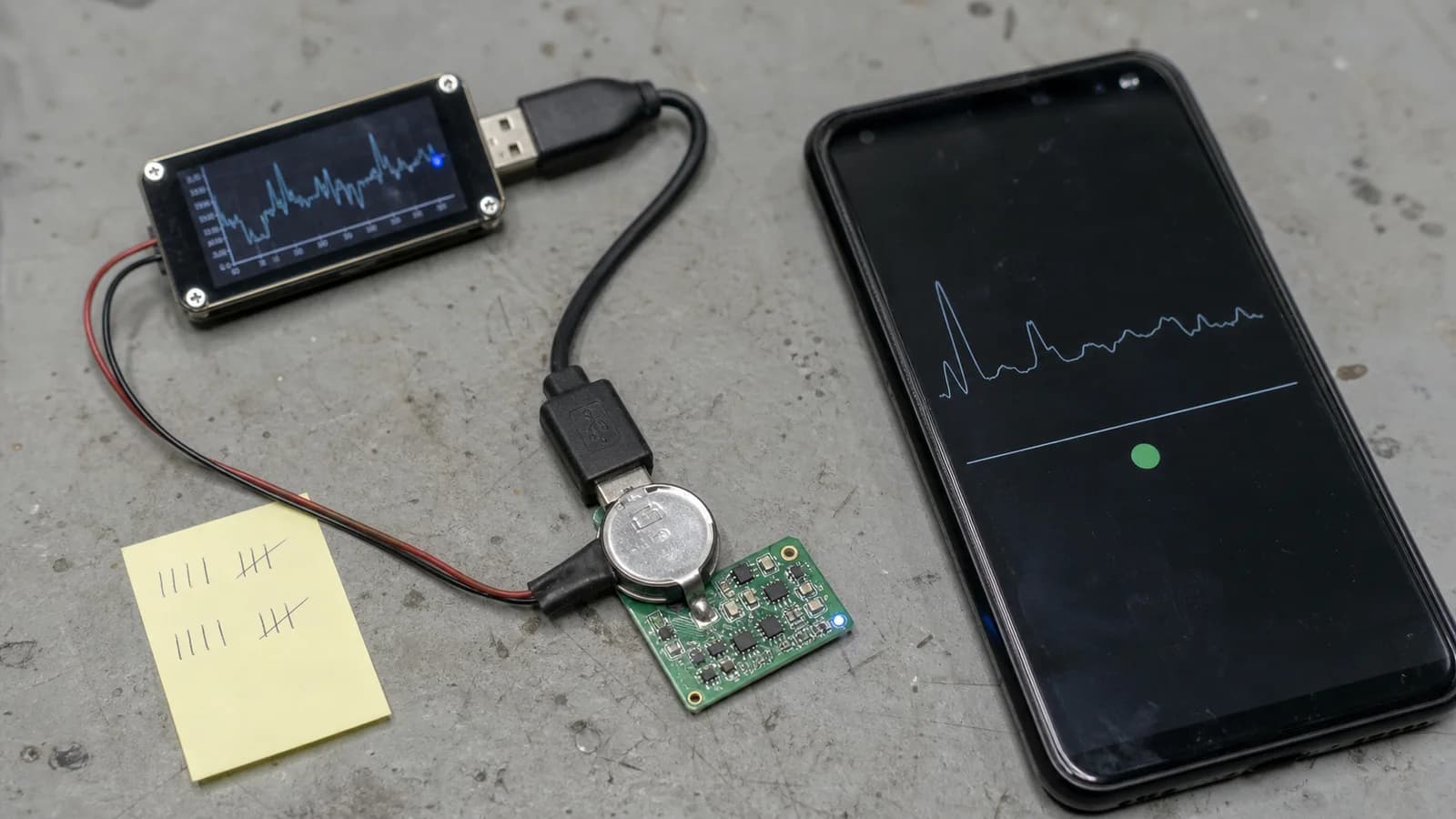
Do not profile only an idle board. Measure advertising, connected bursts, and failed reconnection attempts too.
My BLE debug checklist
- Use a generic GATT scanner to verify advertising, services, read/write, and subscriptions before debugging a custom app.
- Log state transitions, disconnect reason, negotiated MTU, and subscription events—not only “BLE error.”
- Test a bad protocol version, truncated packet, duplicate command, and out-of-range value.
- Power off the peripheral during a write; leave radio range during notifications; reboot a bonded phone.
- Run a multi-hour soak test with repeated reconnection and watch heap and queue depth.
- Start with one connection. Add multi-connection support only after measuring RAM and lifecycle behavior.
The baseline I would ship first
For a battery IoT sensor, I would begin with NimBLE, one custom service, a Read + Notify status, a Write-with-response command, an encrypted Read + Write config, versioned binary packets with sequence IDs, and a reconnect state machine with backoff. Keeping the first payload below 20 bytes is also a wonderfully boring choice.
The hardest part of BLE is rarely moving a byte. It is defining what that byte means, whether replaying it is safe, and how both sides recover when the link disappears. Settle those three things first, and the code becomes much smaller.
References
Share
Keep exploring
Read next
Related articles
IoT Security Trend: A Practical Baseline for Connected Devices
A practical IoT security guide for ESP32 and connected devices, from threat modeling and unique identity to Secure Boot, signed OTA, protected storage, and testing.
A smart thermostat that learns how your room warms up
Notes on building an ESP32 smart thermostat that learns a room's heating rate, starts at the right time, and keeps safety control local.
mmWave Radar: Motion, Gesture, and Presence Detection
Practical notes on separating motion, gesture, and presence detection, choosing the right mmWave radar module, and building an ESP32 prototype that is easy to tune.