

A small IoT reminder to open the window when a room gets stuffy
Notes for a small ESP32 CO2 monitor on a desk, using SCD40/SCD41 to suggest opening the window when a room has stayed stuffy for too long.
Share
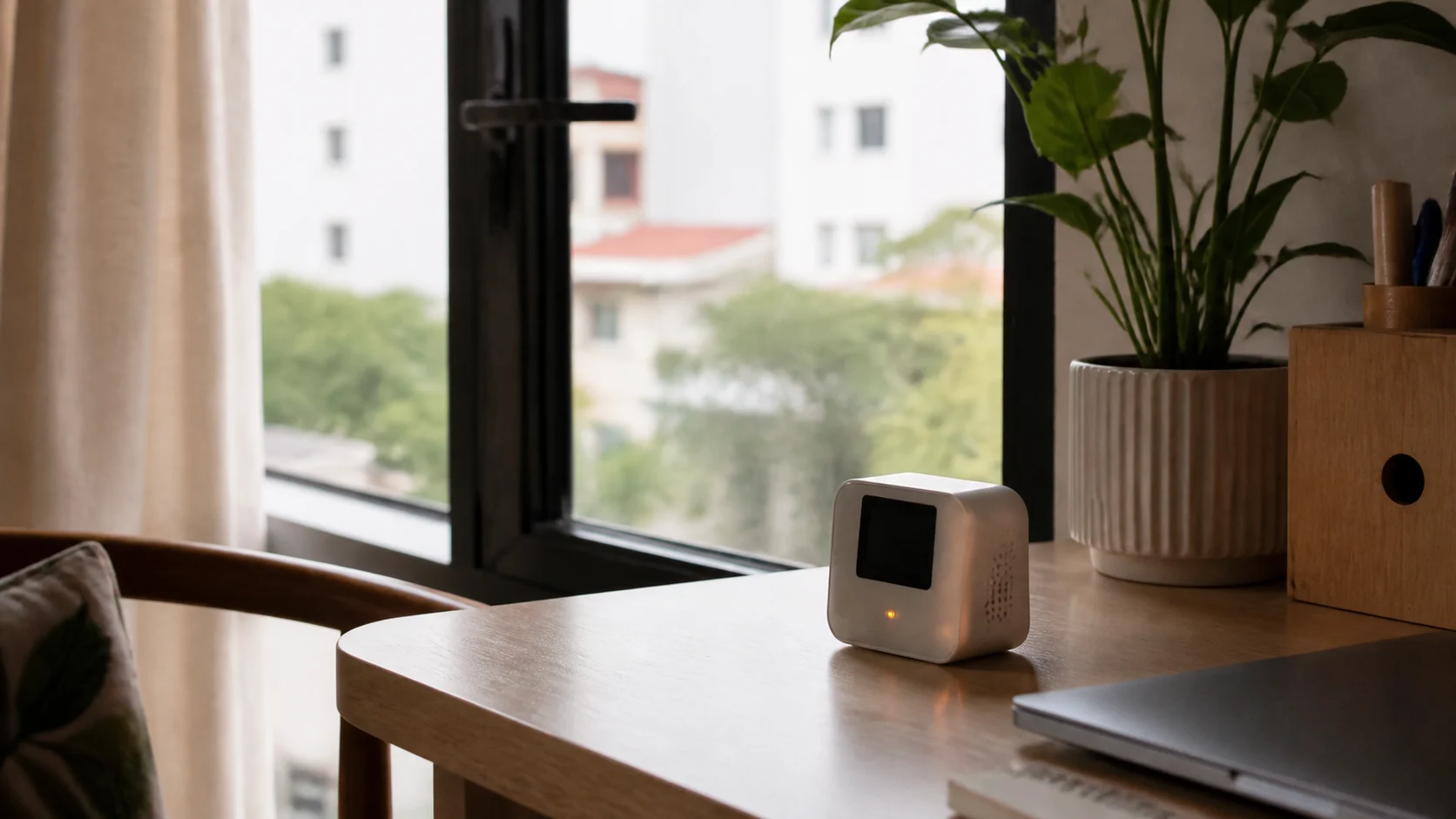
Sometimes I sit in a room for a while, start feeling a little heavy-headed, then open the window and immediately feel better. Stale air creeps up slowly, so it is easy to ignore, especially when working in a closed room with air conditioning.
This note is for a small CO2 box on a desk, bedroom shelf, or home office table. When CO2 stays high long enough, it reminds me to open the window for a few minutes. I do not want to turn it into fan or HVAC control yet; on day one, the valuable part is the nudge.
Why measure CO2?
CO2 is not the whole story of indoor air quality, but it is a useful signal for whether a room is getting enough ventilation for the number of people inside. CDC notes that CO2 monitors can provide information about ventilation, while also warning that a single CO2 number is not an absolute target for every room.
So I would treat CO2 as a practical reminder:
| CO2 level | How I would read it in a small room |
|---|---|
| Below 800 ppm | Usually fine |
| 800-1000 ppm | Start paying attention |
| 1000-1500 ppm | Open a window or improve ventilation |
| Above 1500 ppm | Stronger reminder, especially in bedrooms or work rooms |
These are not medical thresholds. They are starting points for a device that helps you notice stale air sooner.
Hardware proposal
A first version could use:
- ESP32-C3 or ESP32-S3.
- SCD40 or SCD41 CO2 sensor over I2C.
- Small OLED, RGB LED, or amber LED.
- Snooze button for 30-60 minutes when you are in a meeting or outdoor air is bad.
- USB-C power for a fixed desk device; battery only if you accept slower measurements.
- 3D-printed enclosure with airflow slots, keeping the sensor away from ESP32 heat.
I would avoid "eCO2" sensors that estimate CO2 from VOCs for this specific project. They can be useful for trends, but if the product is meant to remind you about stale air, a real SCD40/SCD41 CO2 sensor is more trustworthy.
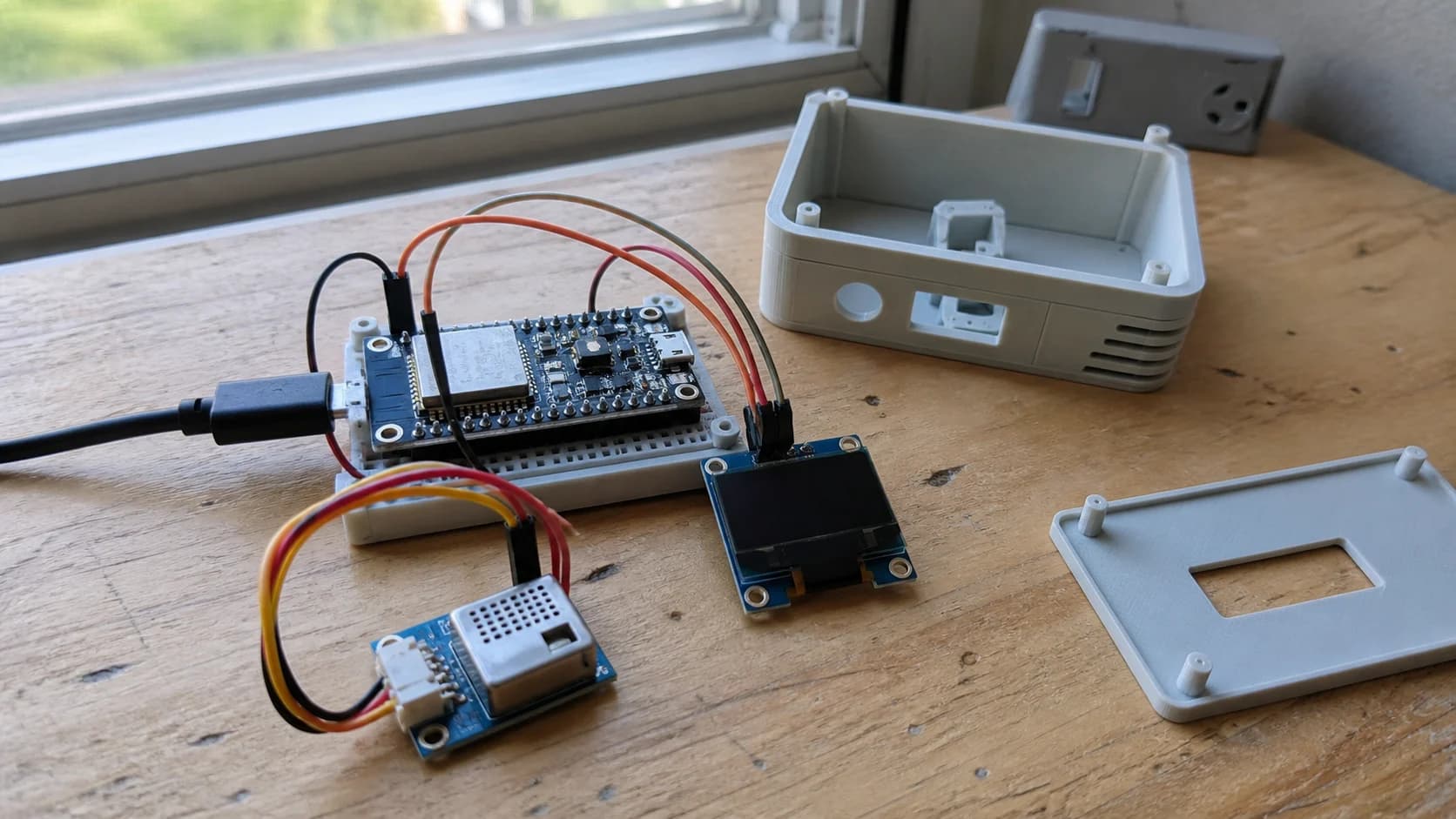
A first version should measure real CO2 with an SCD4x sensor instead of guessing stale air from VOC alone.
Reminder logic
The device should not alert the moment CO2 jumps. I prefer delayed logic:
If CO2 > 1000 ppm for 10 minutes:
  Turn on amber LED and send a gentle notification

If CO2 > 1500 ppm for 5 minutes:
  Make the alert more visible

If CO2 drops below 850 ppm:
  Clear the alert

If the user presses snooze:
  Stay quiet for 30 minutes, but keep logging
Hysteresis matters. Trigger above 1000 ppm, but clear only below 850 ppm. That keeps the device from blinking on and off around the threshold.

A useful reminder is quiet most of the time and only nudges when ventilation has actually been poor for a while.
How should it notify?
If you already use Home Assistant, ESPHome or MQTT is the cleanest route. The node can publish a compact payload:
{
  "co2": 1180,
  "temperature": 29.1,
  "humidity": 64,
  "state": "ventilate"
}
Home Assistant can send a notification like: "The work room is getting stuffy. Open the window for 5 minutes." Without Home Assistant, the device can still work on its own with a small LED or screen.
For me, local feedback is required. If the device only sends phone notifications, it loses value when the phone is muted. A soft amber LED is enough to be visible without becoming irritating.
This notification style is close to the ESP32 humidity monitor for cabinets: both devices should stay quiet most of the day and only speak up when the measured condition lasts long enough to matter.
Easy mistakes
Do not place the sensor right next to the window. It may read fresh outdoor air while the sitting area is still stale.
Do not place it next to your face or behind a warm laptop. Direct breath and heat can make readings jump around.
Do not alert too often. If it complains every few minutes, people will ignore it or unplug it. Add snooze and only alert when CO2 stays high.
Do not forget outdoor conditions. If it is raining hard, very hot, or polluted outside, opening the window may not be the right action. The notification should say "consider ventilation", not act like a command.
My first version
I would start with:
- ESP32-C3 + SCD41.
- USB-C power, no battery.
- Amber LED for alerts.
- MQTT to Home Assistant.
- CO2 reading every 30 seconds.
- Reminder when CO2 stays above 1000 ppm for 10 minutes.
- Snooze button for 30 minutes.
After a week of real use, I would decide whether an OLED screen is actually needed. For a desk device, LED plus notification may already be enough.
Test checklist
- Place the device near sitting height, at least 1-2 m away from the window.
- Open the window for 10 minutes to get a fresh-air baseline.
- Watch how CO2 changes when one person works in a closed room for 1-2 hours.
- Check whether the alert clears after opening the window.
- Test snooze during a meeting.
- Log a few days before choosing final thresholds for that specific room.
After a week, I would only keep this device plugged in if false reminders are rare enough that I still trust it. A room-air monitor should stay quiet most of the time; when its LED turns on, there should be a real reason.
References
Share
Keep exploring
Read next
Related articles
A fridge and freezer temperature alert device for power outages
Notes for a small ESP32 box with two DS18B20 probes and Home Assistant alerts, meant to catch a warming fridge or freezer after a power outage.
A kitchen HMI near the fridge for meals and expiring food
Notes for a small LCD/TFT HMI mounted near the fridge, using Home Assistant to show meal plans, expiring food, and quick shopping-list actions.
A Vietnamese voice remote for local Home Assistant control
Notes for building an ESP32-S3 voice remote with ESPHome and a local Home Assistant Assist pipeline so Vietnamese voice commands can stay inside the home network.